
Townhalls People Actually Listen To: Stage, Screens and Sound
How to produce a townhall employees actually listen to: room layout, a closer stage, speaker cameras, clear sound, Q&A mics, hybrid feeds and running order.
People listen at a townhall when they can see the speaker's face, hear every word without straining, and feel that the session is going somewhere. That is mostly a production problem, not a content one. A good room layout, clear sound, readable screens and a tight running order do more for attention than any slide design.
Townhalls are different from conferences. The audience is your own people, the speakers are usually leaders rather than trained presenters, and the most important part is often the question time. Here is how to plan for that.
Put the leader close to the room
A high, distant stage makes leaders look remote. For a townhall, keep the stage lower and wider, bring it closer to the front row, and consider a thrust stage or seating on three sides if the room allows. The goal is a conversation, not a lecture.
- A low stage, just high enough for the back rows to see over the heads in front.
- Stools or lounge chairs for a fireside format, instead of a podium.
- Steps at the front, so leaders can walk down into the room during questions.
- Seating in a gentle curve, so more people face the speaker directly.
- Nothing tall at the front edge: no large plants, banners or furniture.
If leaders will walk while they talk, mark the stage edges with light strips and keep cables away from their path. Give them a short walk-through of the stage before the session, so they know where the camera is and where the steps are.
Screens: faces first, slides second
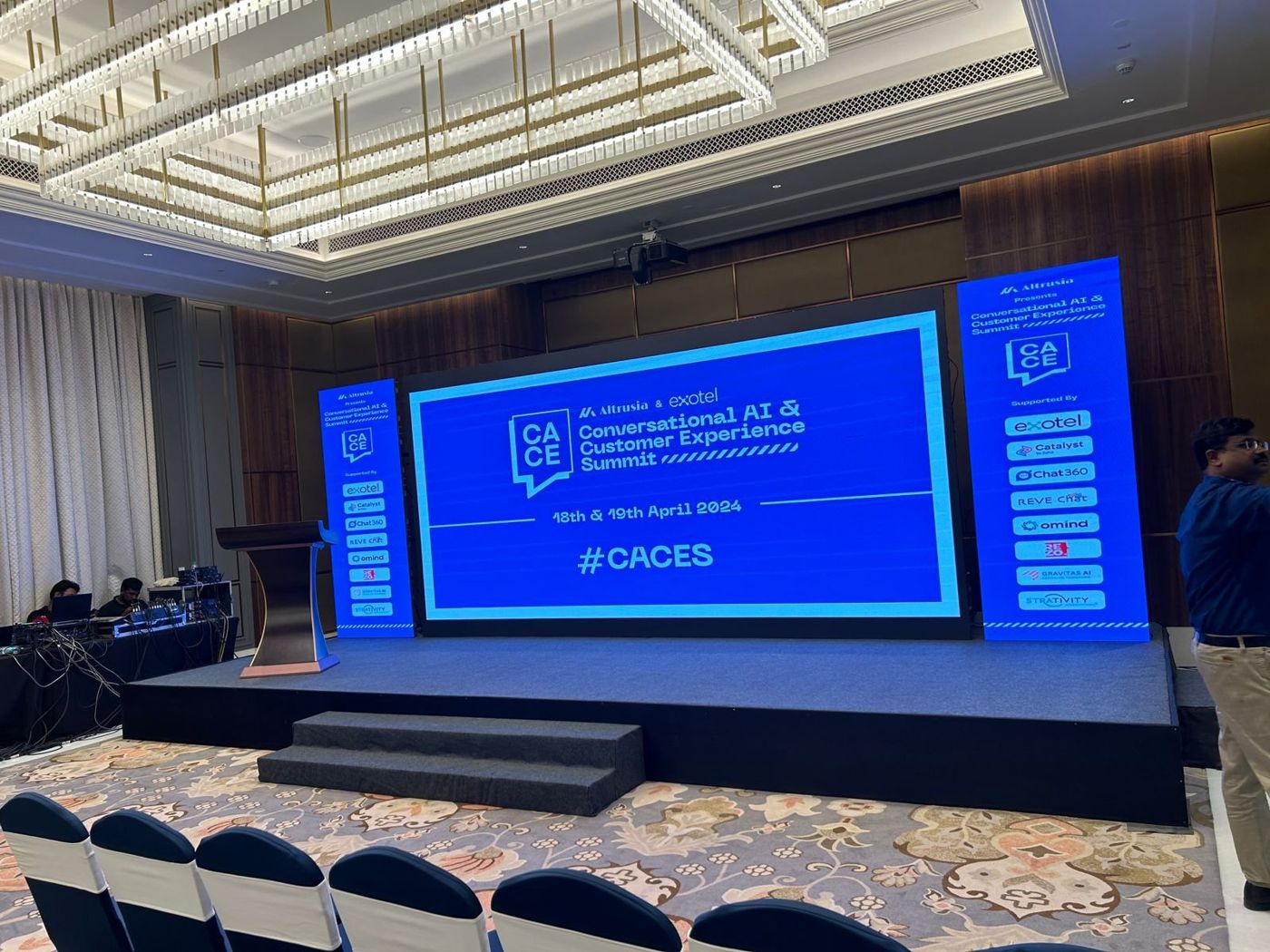
In a large hall, people at the back cannot read the speaker's expression. Put a camera on the speaker and send that image to the screens, with slides alongside or on a separate screen. Showing the speaker large on screen makes a big room feel smaller, and it is the single most useful screen decision for a townhall.
Keep slides simple and few. A townhall is not the place for dense charts. If a number matters, give it its own slide in large type and let the leader explain it.
- Main screen behind the stage for the speaker camera or slides.
- Side screens for the speaker camera in wide rooms.
- A confidence monitor so leaders can see their notes and the next slide.
- A countdown clock that only the speaker can see.
Sound that carries every word
Leaders often speak more softly than professional presenters and turn their heads while they talk. Lapel or headset mics keep the level steady. Ask for a sound technician who stays at the desk for the whole session, adjusting levels for each voice.
Question time is where townhalls usually fail. A single roaming mic means long waits while someone walks across the room. Plan two or three runners with handheld mics, or fixed mics on stands in the aisles. If a question was hard to hear, the speaker should repeat it from the stage so remote viewers get it too.
Hybrid townhalls: the remote audience
Many townhalls now include teams joining from other offices or from home. Treat them as a second audience, not an afterthought. They notice bad audio far more than the people in the room.
- Send a clean programme feed, with the speaker camera and slides combined, to the streaming platform.
- Take audio from the sound desk, not from a laptop microphone in the room.
- Have a moderator who reads remote questions aloud and mixes them with questions from the hall.
- Test the stream with someone outside the building before the session starts.
- Arrange a backup internet line, and confirm with the venue what bandwidth is available and whether it is dedicated to you.
A running order that keeps attention
Attention drops when one speaker talks for too long or when there is dead air between segments. Short segments, clear handovers and a host who links them keep the room with you.
A useful pattern is a short opener video, the leader's update, one or two team stories, a recognition moment, open questions and a crisp close. Put the questions before the end, not after it, so the session does not finish on an awkward unanswered point. A show-caller cues music, mics and screens so the gaps between segments stay short.
For the recognition moment, show the person's photo and name on screen, and bring them on stage if they are in the room. A townhall is often the only time the whole company sees a colleague thanked in public, so give it a proper pause.
Brief leaders before the day. A few minutes going through the running order, the mic, the confidence monitor and the question format makes a nervous speaker far more relaxed, and it shows from the back row.
Office, hotel or hall?
Townhalls happen in office cafeterias, hotel ballrooms and rented halls. Offices save travel but often have hard surfaces that echo, low ceilings and no proper stage. Hotels give you a clean room, food service and parking, though you work within their rules and set-up windows. Our corporate events team handles both.
For an office townhall, check the ceiling height, where the screen can stand, whether the room echoes and how much power is available. A few acoustic panels, a proper speaker system and a low platform can turn a cafeteria into a workable venue.
For Bengaluru townhalls, see our page on corporate events in Bengaluru. We build stage sets and branding in our Bengaluru factory and bring the same crew to set up and run the session.
Planning a townhall?
Share your date, venue and headcount on Plan your project, or WhatsApp or call +91 70190 58391. We will suggest a layout, a screen plan and a sound setup that suits your room.